

Download WaveyLoop
Add WaveyLoop to your home screen for quick access to campaigns, tasks, and updates.
Open WaveyLoop
Use your browser menu to install WaveyLoop or add it to your home screen.
No app store download needed. Install it straight from your browser.
Add WaveyLoop to your iPhone
Follow the pictures in your browser.
1Tap the page menu in Safari
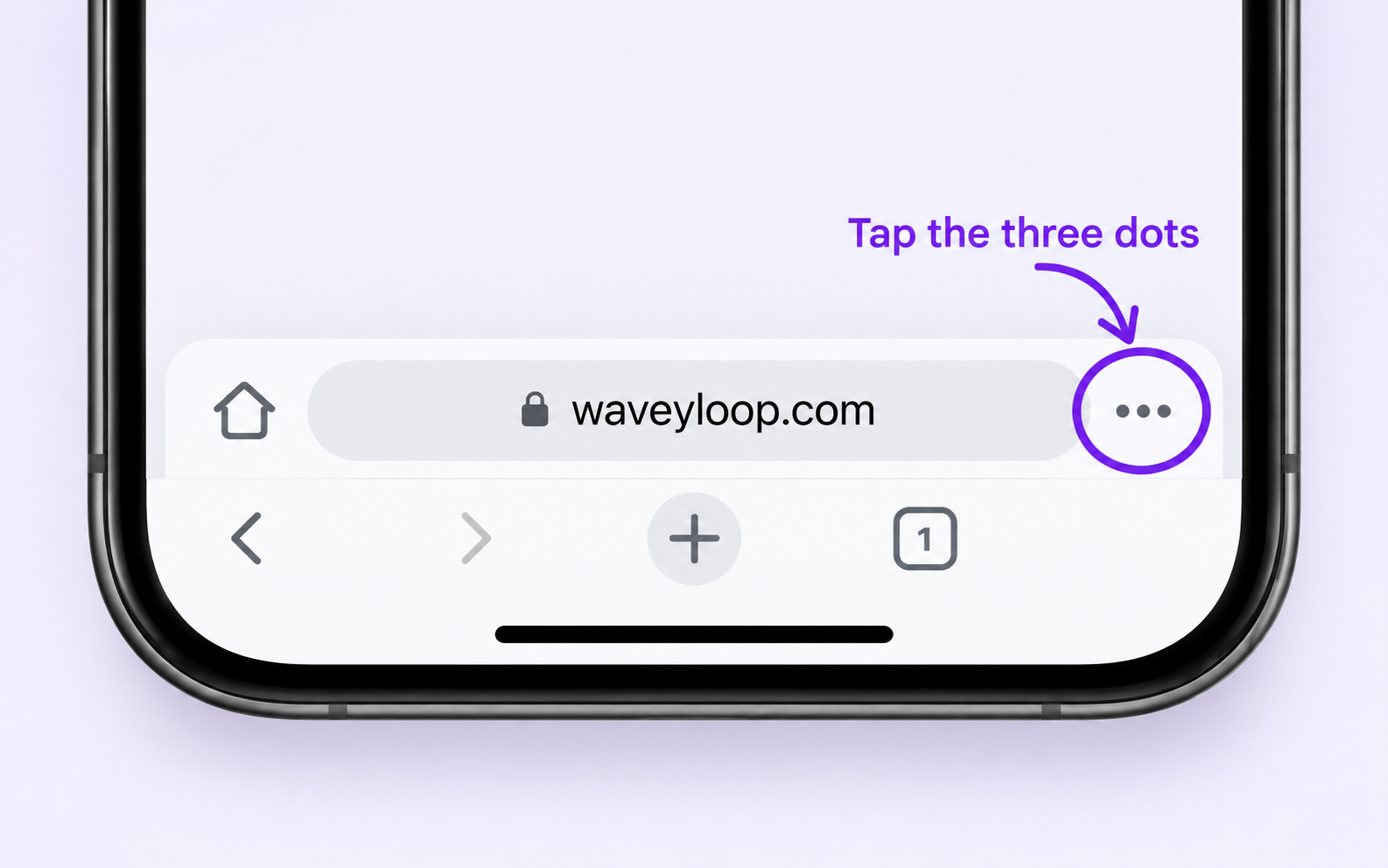
It may look like three dots. If you already see Share, use that instead.
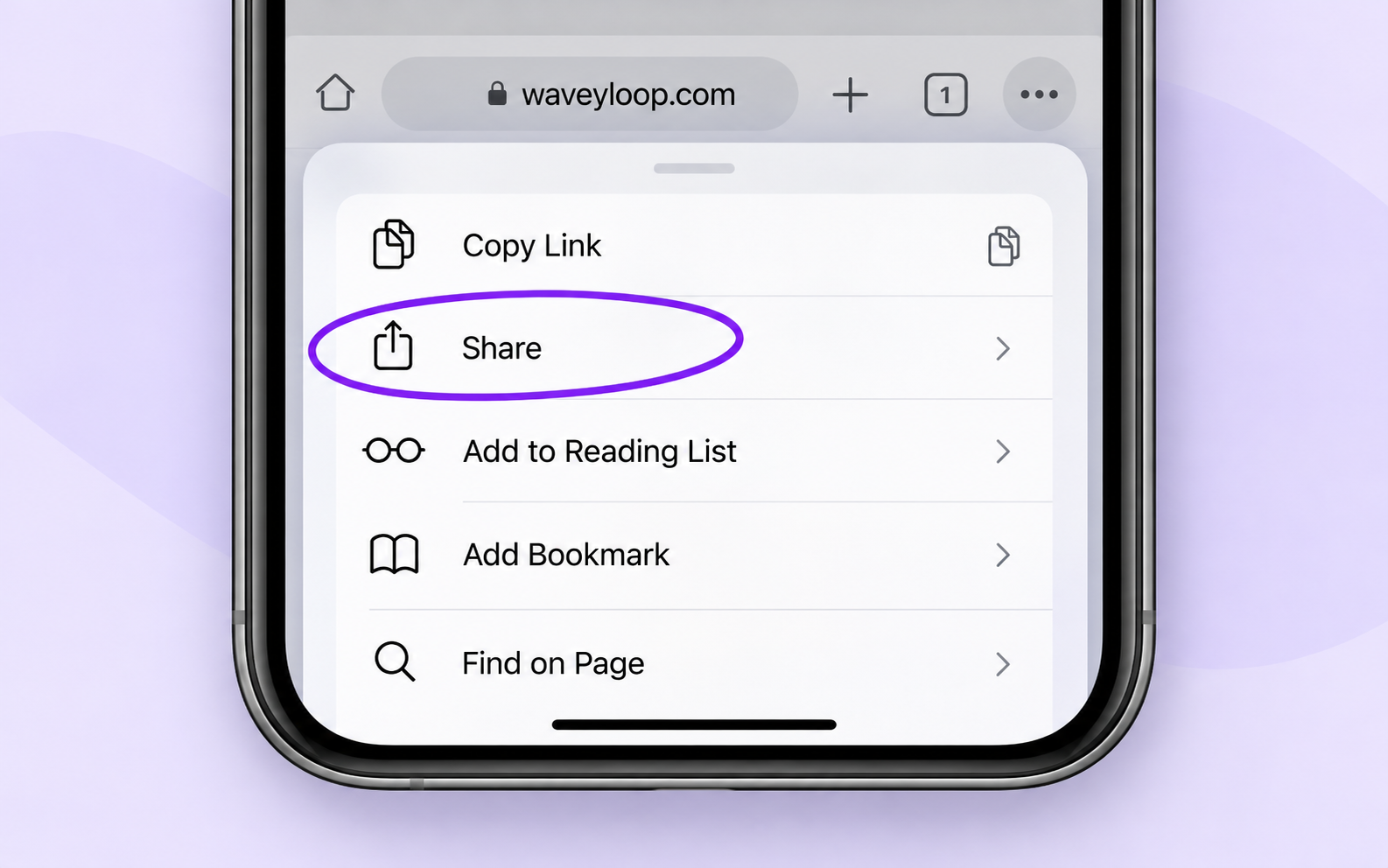
2Choose Share
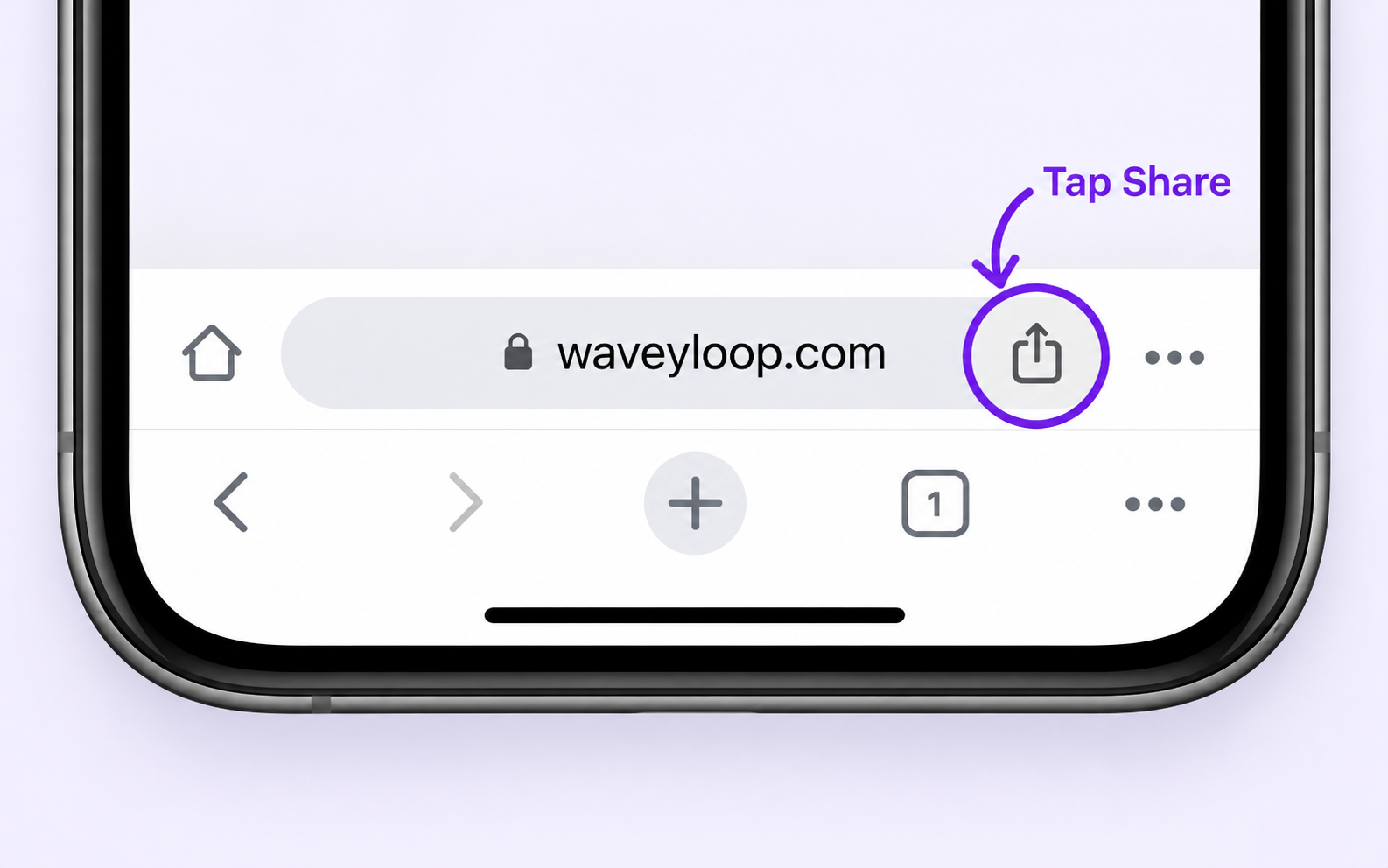
1Tap Share in Chrome
3Choose Add to Home Screen
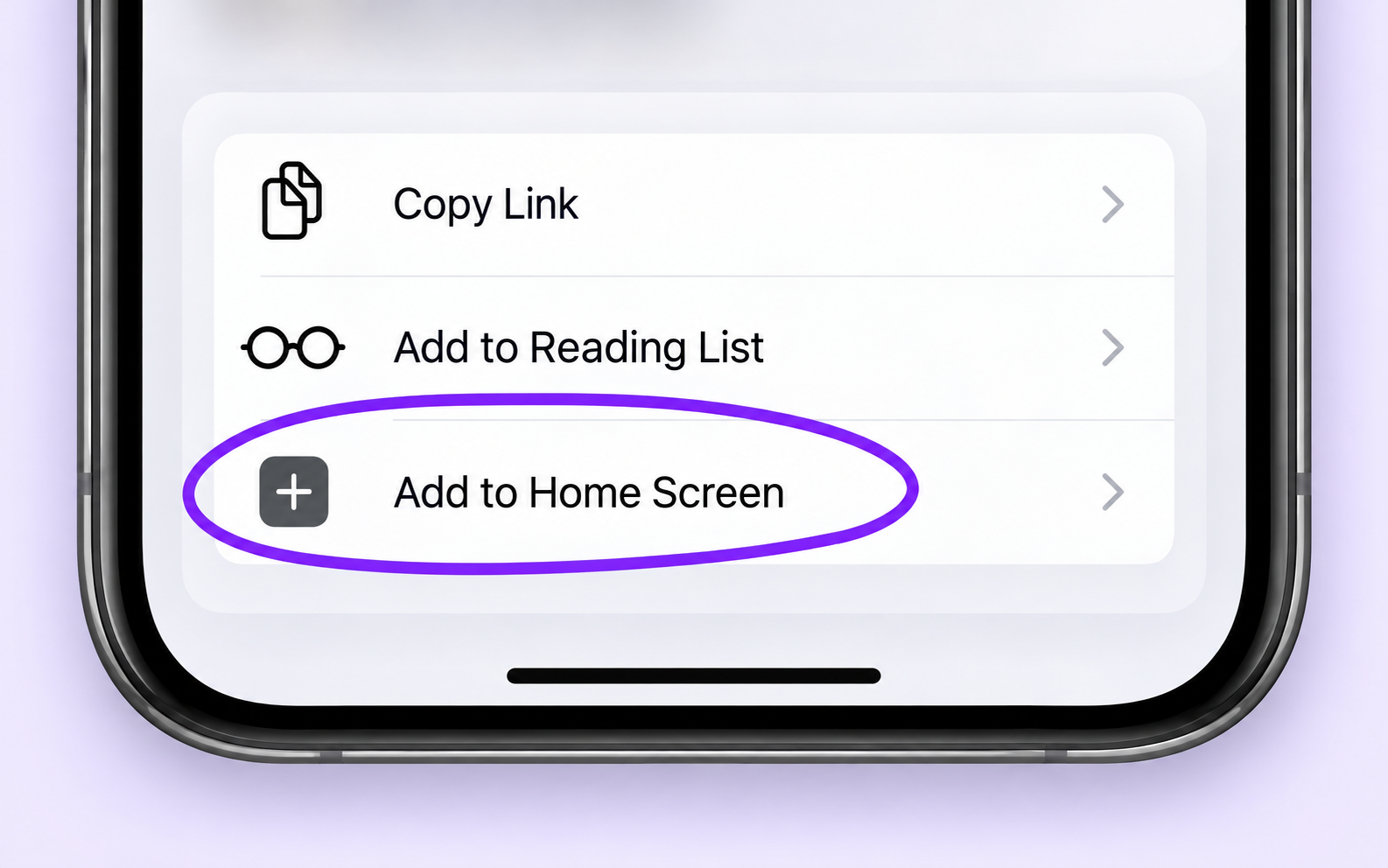
Scroll down in the Share menu if you do not see it.
Then tap Add